PiKrellCam Motion Detection and Environment Logger
A Raspberry Pi camera fork with temperature and humidity logging
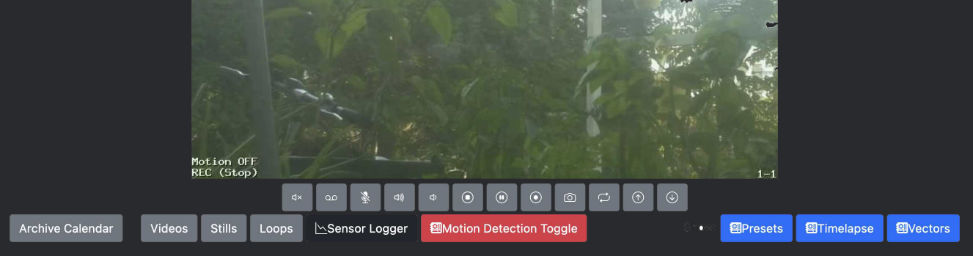
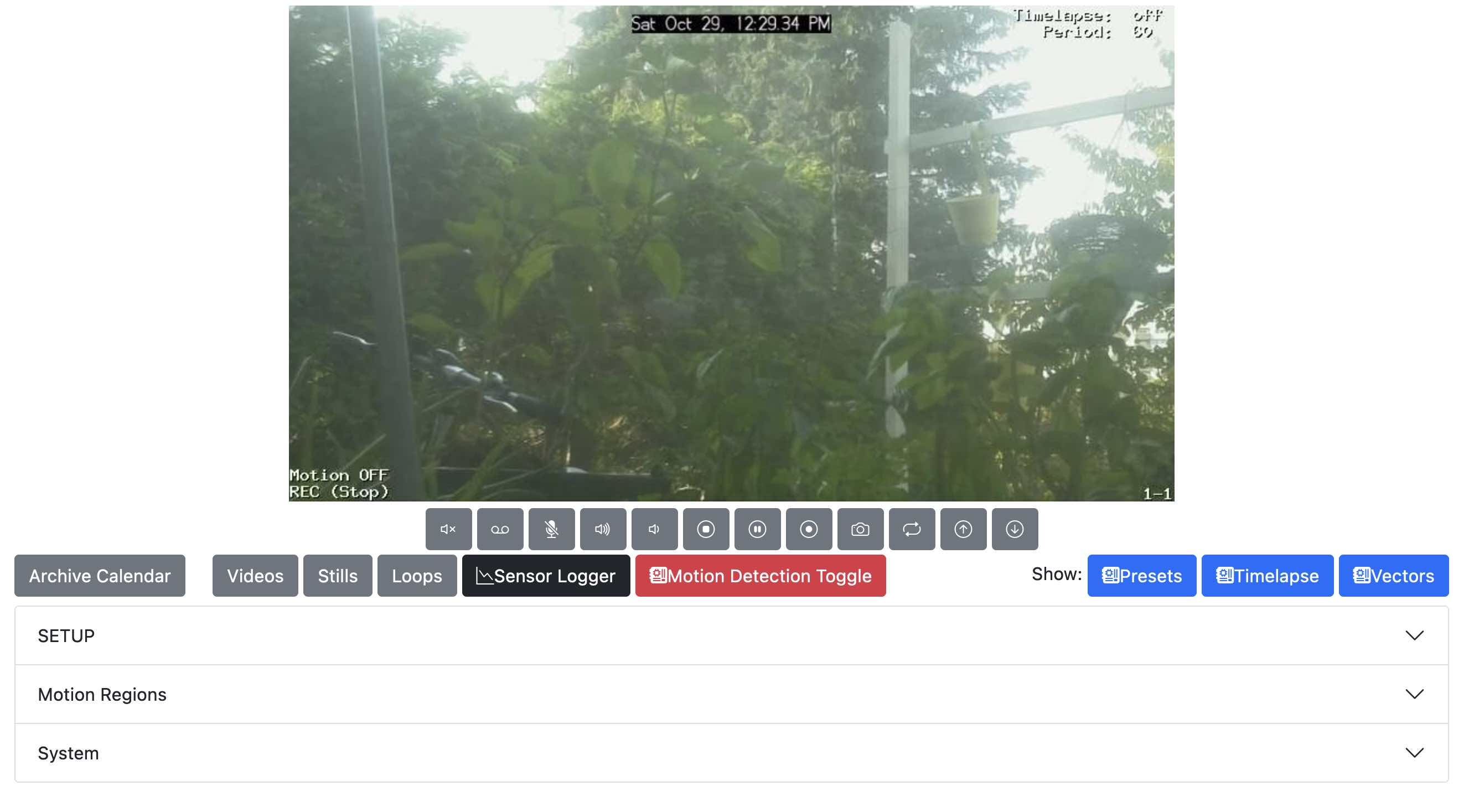
PiKrellCam Reborn was my attempt to extend one of the most useful motion-detection and surveillance applications ever written for the Raspberry Pi. The original PiKrellCam already provided a remarkably complete camera interface: live preview, on-screen display, motion-triggered video recording, media browsing, scheduled commands, and a highly configurable web UI. My fork added a second layer to that idea: an environmental logger for temperature and humidity, integrated directly into the same camera dashboard.
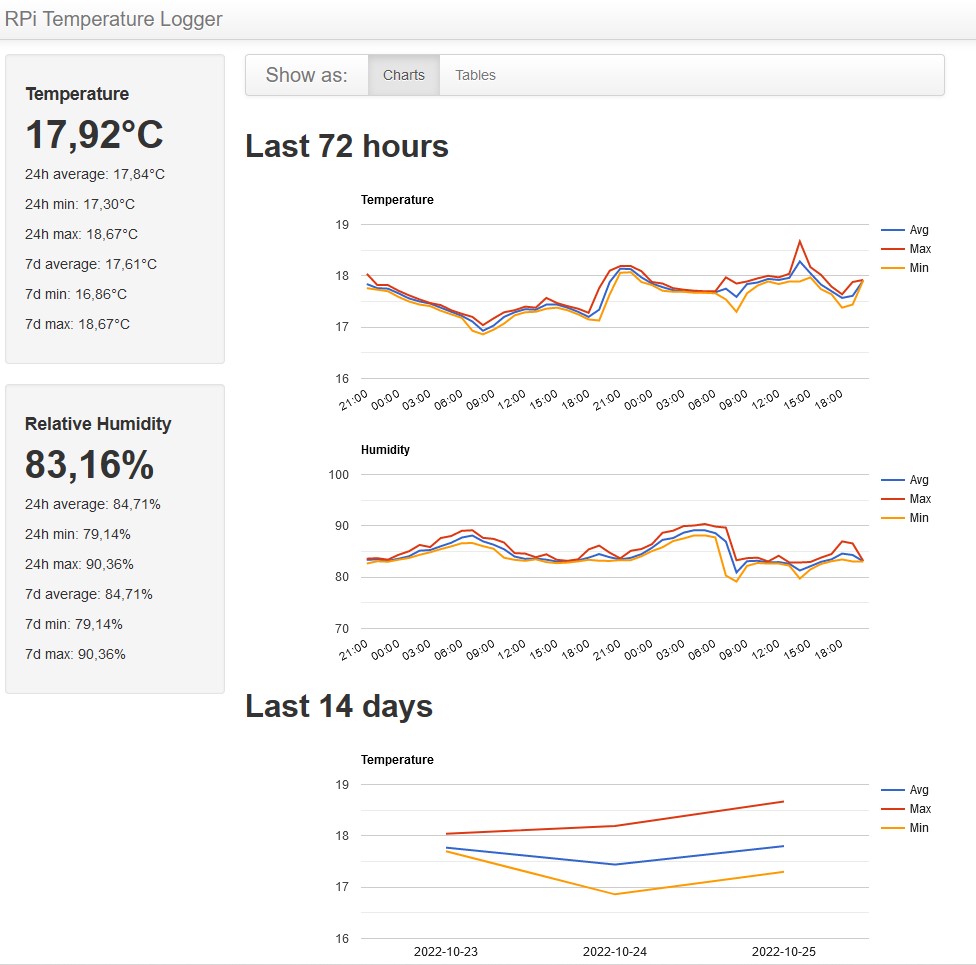
Between 2020 and 2022 I worked on this fork to add an additional web-dashboard backed by an SQLite database. The first working version collected readings from an HDC1080 temperature and humidity sensor connected via I2C, stored the measurements locally, and displayed them in a statistics panel accessible from the main camera preview page. The goal was simple: combine visual motion detection with contextual environmental data, so that a Raspberry Pi camera installation could also act as a small autonomous monitoring station.
Why Add Environmental Logging?
A motion-detection camera is already a sensor: it watches an environment and reacts to changes. Adding temperature and humidity logging made the system more useful for long-term observation, especially in small workshops, storage rooms, garden sheds, garages, animal shelters, greenhouses, or outdoor camera boxes where environmental conditions matter as much as movement.
The additional dashboard was designed as a practical extension rather than a replacement for PiKrellCam. I wanted to keep the original motion-detection component alive, while experimenting with a more modern interface for auxiliary sensors. The first milestone was a single I2C sensor; the broader idea was to support multiple readings from local sensors or even external ESP32-based nodes.
It is aimed at:
- tracking one or more environmental sensor values alongside camera activity;
- preserving the original PiKrellCam motion-detection workflow;
- refreshing parts of the legacy web interface with more recent front-end components;
- building a small, readable dashboard for I2C sensors or external microcontroller nodes;
- storing historical readings in an SQLite database for later graphing and statistics.
The Original PiKrellCam Project
The original PiKrellCam
was written by William “Bill” James Wilson, Jr., known on GitHub as billw2. Its original repository
describes it as a Raspberry Pi audio/video recording and motion-detection program with an on-screen-display web interface. Technically, one of its most interesting features was its use of the Raspberry Pi camera MMAL motion vectors: instead of depending on an external motion-detection daemon, PiKrellCam processed the camera’s own vector data internally.
This made the program especially well suited to low-power Raspberry Pi installations. It could stream an MJPEG preview with text, graphics, and motion overlays; record motion-triggered video with configurable pre-capture and post-capture timing; save thumbnails; define motion regions graphically in the browser; execute event scripts; and schedule commands from configuration files. In other words, PiKrellCam was not just a camera viewer. It was a compact, highly configurable surveillance and observation system.
Bill Wilson released PiKrellCam under the GPL-3.0 license, and the repository remains an important reference for anyone interested in how much can be achieved with careful C, PHP, shell scripting, and the original Raspberry Pi camera stack.
Remembering Bill Wilson
Sadly, Bill Wilson passed away on October 14, 2021, in Kyle, Texas, after a short illness. The news was shared by the Raspberry Pi and PiKrellCam community in the project’s GitHub issue tracker and forum thread, where many long-time users thanked him for the stability, usefulness, and generosity of his work.
Bill was not only the author of PiKrellCam. He was also known for GKrellM, the classic system monitor whose name partly explains the “Krell” in PiKrellCam. Community recollections describe him as an exceptionally capable engineer and open-source developer, someone who built software that people continued to run for years because it was efficient, thoughtful, and dependable.
For me, this fork was therefore not only a technical experiment. It was also a small way of keeping a useful open-source project alive after its original author could no longer maintain it.
Logger Dashboard
The logger dashboard was built by adapting the original PHP code from raspberry_temperature_log , written by Paweł Spychalski, and integrating it into the PiKrellCam interface. In this fork, the logger became part of the camera’s web environment instead of a standalone page.
The first working version used:
- SQLite for lightweight local storage;
- Python for reading the HDC1080 sensor over I2C;
- PHP for the web-facing logger panel;
- Bootstrap CSS for a more structured dashboard layout;
- updated JavaScript dependencies, including a more recent jQuery version.
This was never meant to be a finished commercial-grade monitoring system. It was a practical Raspberry Pi hack: small, readable, local-first, and hackable.
Current State — October 2022
By October 2022, the fork had reached a work-in-progress state with the following changes:
- most of the original source indentation had been reformatted for readability;
- several web components had been updated to more recent versions;
- Bootstrap CSS had been introduced for the logger dashboard and parts of the main interface;
- support had been added for a single HDC1080 temperature and humidity sensor over the Raspberry Pi I2C bus;
- the logger panel could store readings in SQLite and display collected environmental data from the web UI.
libcamera / rpicam stack rather than the old MMAL-based camera interface.Source Code
My fork is available here:
git clone https://github.com/lucaji/pikrellcamOriginal PiKrellCam repository:
git clone https://github.com/billw2/pikrellcamLegacy PiKrellCam installation instructions and documentation are still available on Bill Wilson’s original project page:
PiKrellCam — OSD Motion Detect Program