GPMLink — GPM8310 Data Logger for Electrical Power Measurements
Logging GW Instek GPM-8310 power data over Telnet and SCPI
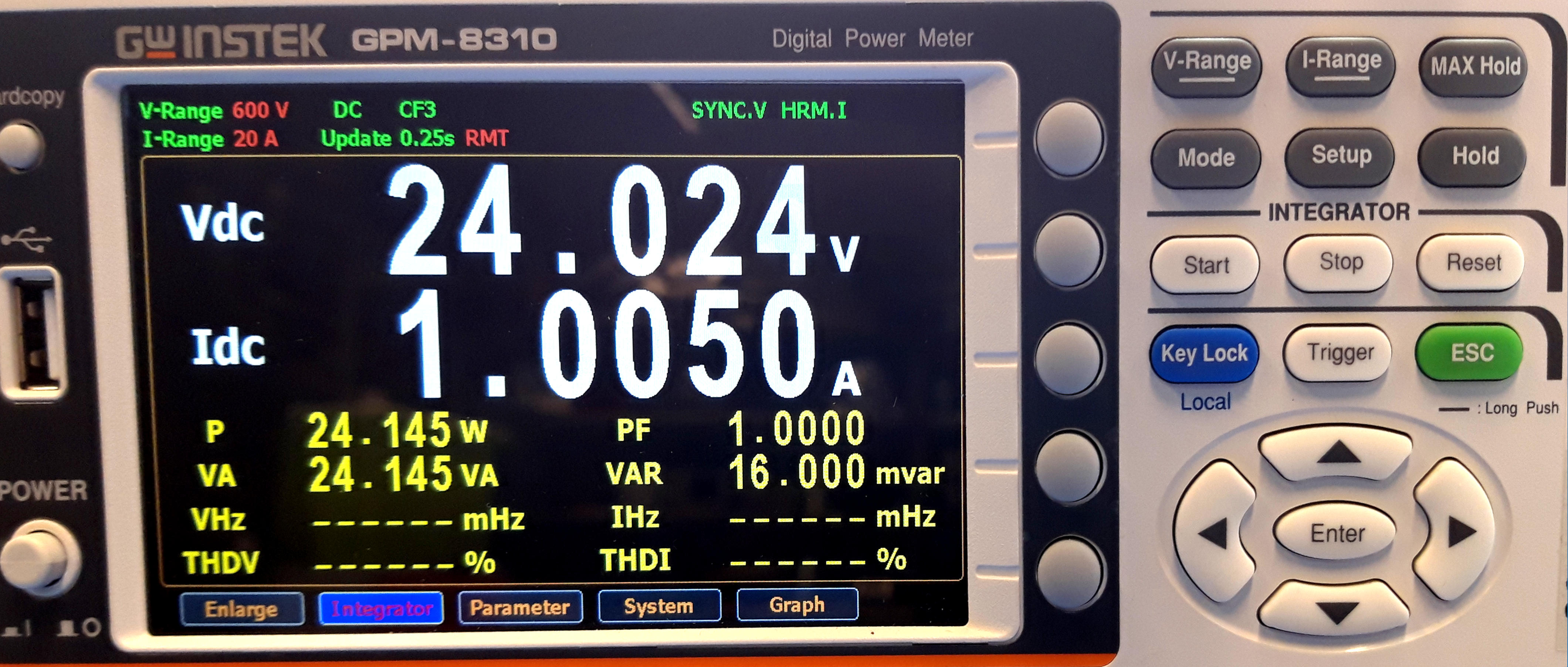
Measuring electrical power over long periods is often more useful than taking a single snapshot. A device may behave perfectly during a quick bench test and still reveal unexpected current peaks, warm-up drift, sleep-state anomalies, poor power factor, or efficiency losses only after minutes, hours, or even days of observation.
That is the reason I wrote GPMLink, a small logging utility for the GW Instek GPM-8310 AC/DC power meter. The goal was simple: connect the instrument to a computer over Ethernet, query its measurements at regular intervals, display the data, and save a continuous CSV log that could later be inspected, plotted, or imported into other analysis tools.
The project is available on GitHub: GPMLink . At the time of writing, I do not provide prebuilt binaries, but the source code can be compiled with Visual Studio Community or another compatible .NET development environment.
GPMLink
GPMLink is a .NET-based application developed to perform extended power measurements with the GW Instek GPM-8310. The repository contains both a WinForms implementation and a WPF version, with a .NET Core-oriented codebase also present as work in progress.
The application focuses on a practical laboratory workflow:
- connect to the power meter through the LAN interface;
- periodically request selected measurement values;
- display the latest readings while the session is running;
- append each sample to a CSV file;
- keep the logging process stable during long unattended sessions.
This is not meant to replace the official GW Instek software. Instead, it is a small, transparent, open-source utility that can be adapted to a specific bench setup or test procedure.
Why Log Power Measurements?
Power measurement is not only about the final wattage number. When working on hardware, audio equipment, embedded systems, appliances, power supplies, or firmware-controlled devices, the most interesting behavior is often dynamic.
A long log can help answer questions such as:
- how much energy a device consumes during a complete operating cycle;
- whether standby consumption remains constant or changes over time;
- how current draw behaves during startup, shutdown, or thermal stabilization;
- whether a firmware change affects average power consumption;
- how power factor, apparent power, and reactive power evolve under different loads.
For this kind of work, CSV export is intentionally simple. A plain text dataset can be archived, versioned, plotted, shared, or processed later using Python, Excel, LibreOffice, MATLAB, GNU Octave, R, or any other preferred tool.
The Power Meter: GW Instek GPM-8310
The GW Instek GPM-8310 is a digital power meter for single-phase, two-wire measurements. It supports both AC and DC measurement modes and is designed for laboratory power analysis rather than simple handheld metering.
Some of the most relevant features are:
- single-phase 1P/2W measurement;
- DC to 100 kHz voltage/current bandwidth;
- 16-bit A/D conversion;
- approximately 300 kHz sampling rate;
- 5-inch TFT display with multi-parameter numerical views;
- waveform display for voltage, current, and power;
- integration measurement for watt-hours and ampere-hours;
- harmonic analysis up to the 50th order;
- external current sensor inputs;
- RS-232C, USB, LAN, and GPIB interfaces.
Its role in my lab is to bridge the gap between a basic wattmeter and a more complex power-analysis setup. The instrument performs the actual measurement, ranging, sampling, averaging, and integration internally; GPMLink concentrates on remote access, logging, and data extraction.
Useful official references:
Telnet, LAN, and SCPI
The GPM-8310 can be controlled remotely through several interfaces. GPMLink uses the Ethernet/LAN connection and communicates with the instrument through a simple socket-style Telnet session.
The command language is based on SCPI, the Standard Commands for Programmable Instruments. SCPI is widely used in laboratory equipment because it provides a consistent text-based grammar for asking instruments to identify themselves, configure measurement modes, change ranges, trigger actions, query status, and return measured values.
A typical remote-control session follows this pattern:
- the computer opens a connection to the instrument;
- GPMLink sends a query command as plain text;
- the power meter replies with a text response;
- the response is parsed into numeric fields;
- the values are displayed and appended to the CSV log.
The GPM-8310 manual documents the command syntax, command separators, and end-of-line handling. For LAN communication, the returned message uses a line termination that can be parsed reliably by the application.
Polling Rate and Instrument Update Rate
GPMLink was designed for long-duration logging, not for oscilloscope-like capture. In practice, the application can query the meter at around 2 Hz in a reliable way, which is sufficient for energy monitoring, appliance profiling, thermal tests, and many bench measurements.
This polling interval should not be confused with the instrument’s internal sampling rate. The GPM-8310 samples voltage and current at a much higher rate, calculates the configured measurement parameters internally, and then exposes the resulting values through its remote interface.
This architecture has an important practical advantage: the computer does not need to acquire raw waveforms continuously. GPMLink can request already-computed values such as RMS voltage, RMS current, active power, apparent power, reactive power, power factor, frequency, and integrated energy totals.
What Gets Logged
The exact CSV columns can be adjusted depending on which values are requested, but a typical logging session may include:
- timestamp;
- RMS voltage;
- RMS current;
- active power in watts;
- apparent power in volt-amperes;
- reactive power in vars;
- power factor;
- frequency;
- accumulated watt-hours;
- accumulated ampere-hours;
- integration time or session duration.
This makes the resulting log useful both for quick inspection and for more detailed post-processing.
Sample CSV Log Output
A CSV log is intentionally easy to read. Each row represents a single sampled point in time.
Timestamp,Voltage RMS (V),Current RMS (A),Active Power (W),Apparent Power (VA),Reactive Power (var),Power Factor,Frequency (Hz),Energy (Wh)
2024-12-01 14:00:00,230.12,0.545,125.67,128.34,21.85,0.98,50.00,10.35
2024-12-01 14:00:01,229.95,0.548,126.12,129.01,22.10,0.97,50.00,10.37
2024-12-01 14:00:02,230.08,0.550,126.56,129.47,22.26,0.98,50.00,10.39
Because the file is plain CSV, it can later be plotted directly or imported into a spreadsheet without depending on GPMLink itself.
SCPI Command Model
The GPM-8310 supports standard IEEE 488.2-style commands such as *IDN?, but its measurement readout is handled through the instrument’s documented command groups. In particular, the :NUMeric commands are useful for defining which numeric values should be returned and for querying them in a repeatable order.
A simplified command workflow looks like this:
| Command | Purpose |
|---|---|
*IDN? |
Query the manufacturer, model, serial number, and firmware/system identification string. |
*OPT? |
Query installed interface and measurement options. |
:NUMeric:FORMat ASCii |
Select ASCII output for numeric data, making replies easy to parse as text. |
:NUMeric:NORMal:NUMber <n> |
Set how many numeric items will be returned in the normal numeric list. |
:NUMeric:NORMal:ITEM1 U,1 |
Configure item 1, for example RMS voltage. |
:NUMeric:NORMal:ITEM2 I,1 |
Configure item 2, for example RMS current. |
:NUMeric:NORMal:ITEM3 P,1 |
Configure item 3, for example active power. |
:NUMeric:NORMal:VALue? |
Query the configured numeric values in order. |
:INTEGrate:STARt |
Start integration measurement. |
:INTEGrate:STOP |
Stop integration measurement. |
:INTEGrate:RESet |
Reset integrated values. |
:INTEGrate:STATe? |
Query the integration status. |
:STATus:ERRor? |
Query instrument error status. |
This is more efficient than sending a separate query for every value. GPMLink can configure a list of desired parameters once, then repeatedly ask for the current numeric values during the logging session.
SCPI Parsing Logic
The instrument returns plain text values. When ASCII numeric format is selected, the response can be split, converted into floating-point numbers, and mapped to the CSV headers.
A simplified exchange may look like this:
> :NUMERIC:NORMAL:VALUE?
< 230.12E+0,5.45E-1,125.67E+0,128.34E+0,9.80E-1
Those values can then be mapped in the same order in which the numeric items were configured:
230.12E+0→ RMS voltage in volts;5.45E-1→ RMS current in amperes;125.67E+0→ active power in watts;128.34E+0→ apparent power in volt-amperes;9.80E-1→ power factor.
In Python-style pseudocode, the parsing step is straightforward:
response = "230.12E+0,5.45E-1,125.67E+0,128.34E+0,9.80E-1"
fields = response.strip().split(",")

voltage = float(fields[0])
current = float(fields[1])
active_power = float(fields[2])
apparent_power = float(fields[3])
power_factor = float(fields[4])
The real application also needs to handle timeouts, malformed responses, disconnected sessions, and instrument-side errors. During long tests, this kind of defensive behavior matters: a single bad reply should not corrupt the entire dataset.
Integration Measurements
One of the most useful features of a power meter is integration. Instantaneous power is useful, but total energy consumption is often what matters most.
For example, a device that draws short current peaks may not look problematic in a slow visual reading, but the accumulated watt-hour value tells the real story over a complete operating cycle. The GPM-8310 can integrate watt-hours and ampere-hours internally, while GPMLink records the returned values alongside the other measurements.
This is especially useful when testing:
- battery chargers;
- small appliances;
- standby modes;
- embedded systems with sleep/wake cycles;
- audio amplifiers or instruments under realistic load;
- power supplies during burn-in or reliability checks.
Safety Note
Power meters are often connected directly to hazardous voltages. When measuring mains-powered equipment, the software is only the logging layer: the actual safety boundaries are dictated by the instrument, the probes, the wiring, the test fixture, and the operator’s procedure.
Always follow the GPM-8310 manual, use properly rated leads and fixtures, and avoid improvised connections when working with mains voltage or high-current loads.
Gallery
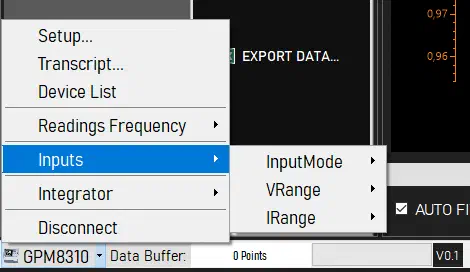
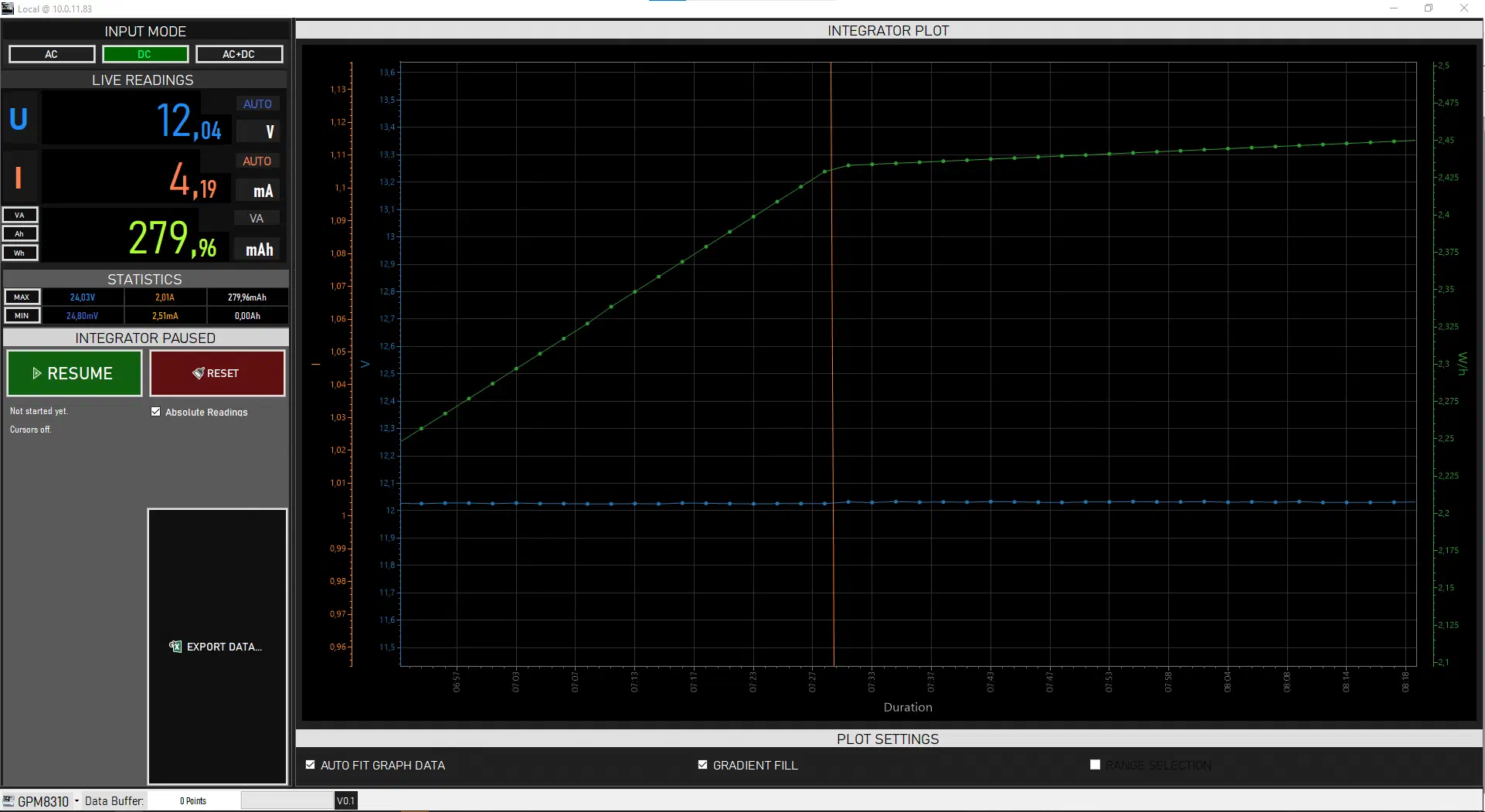
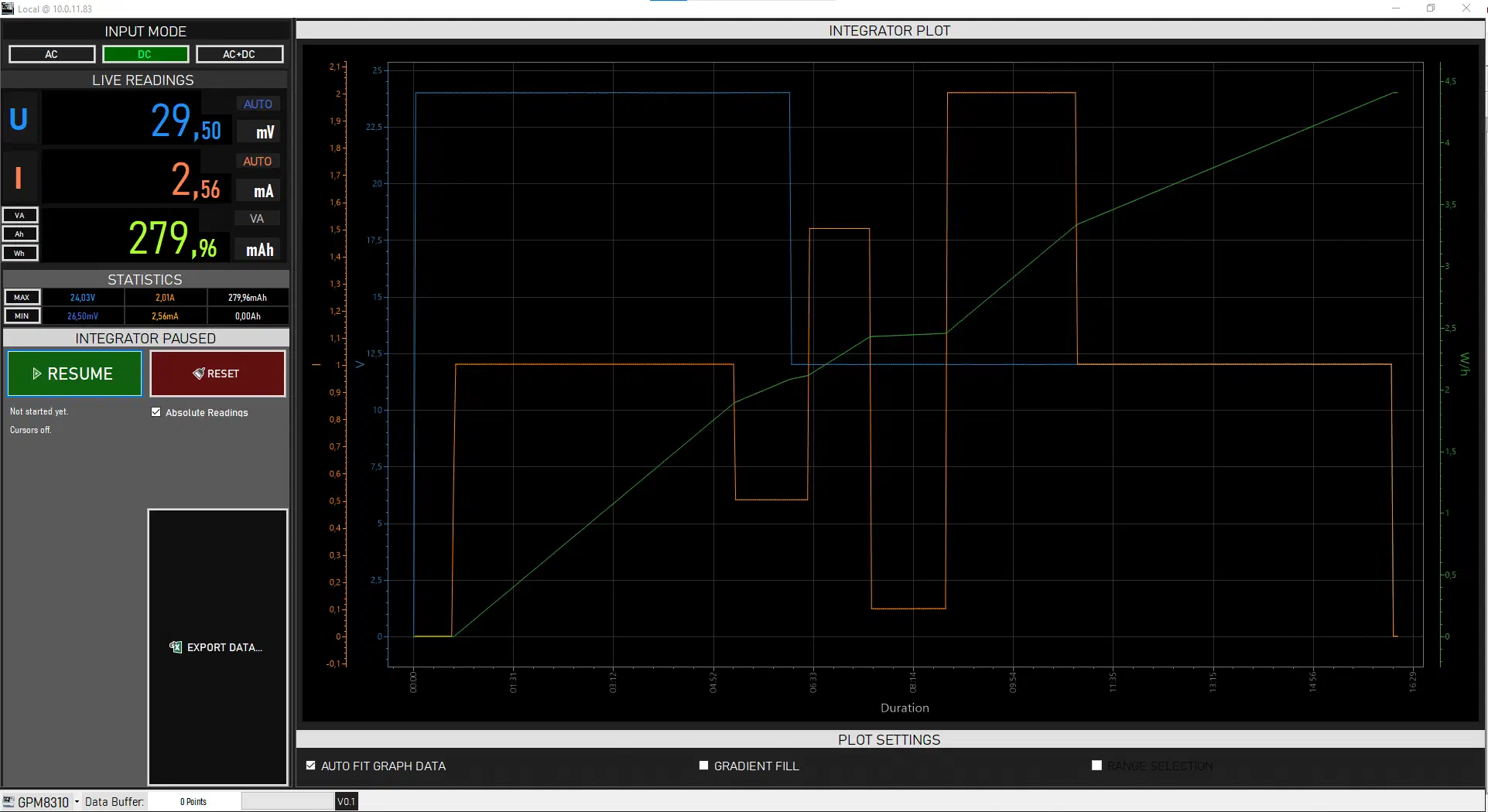
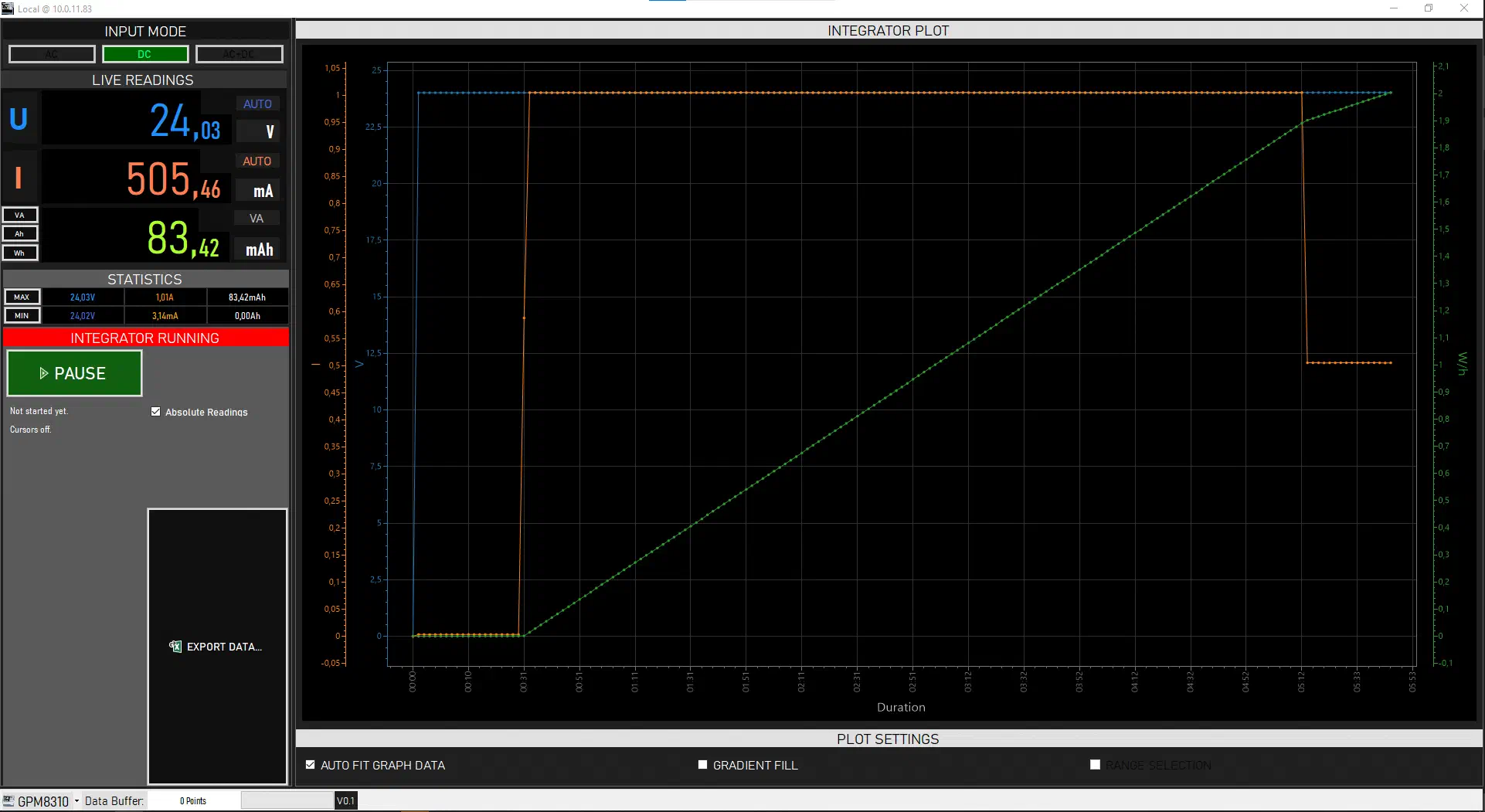
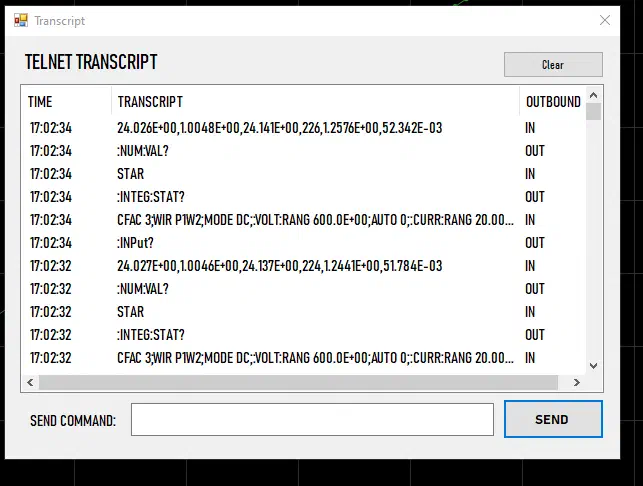
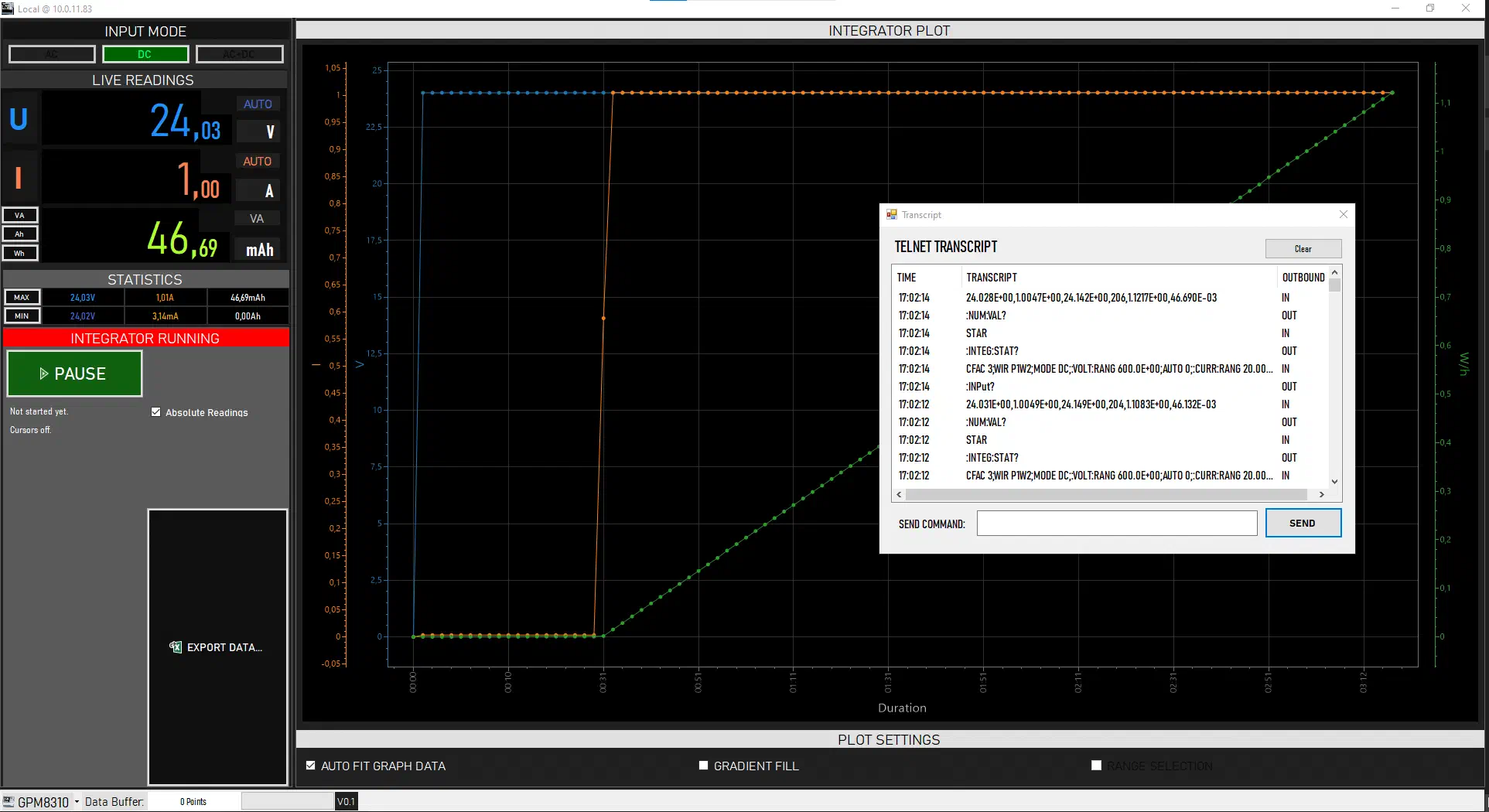
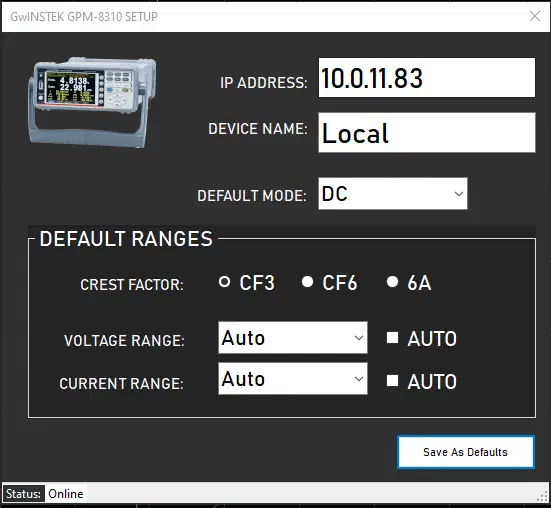
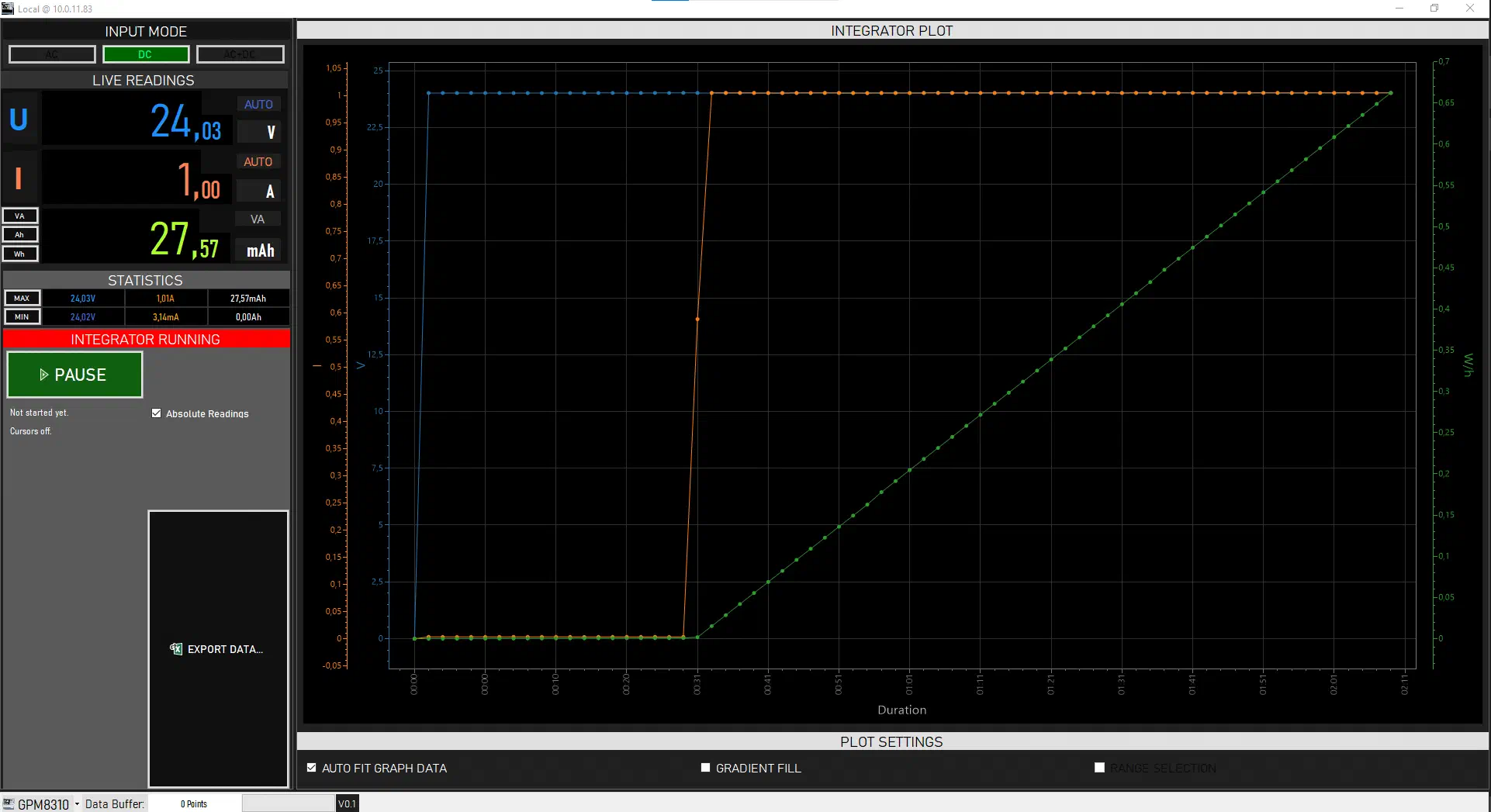
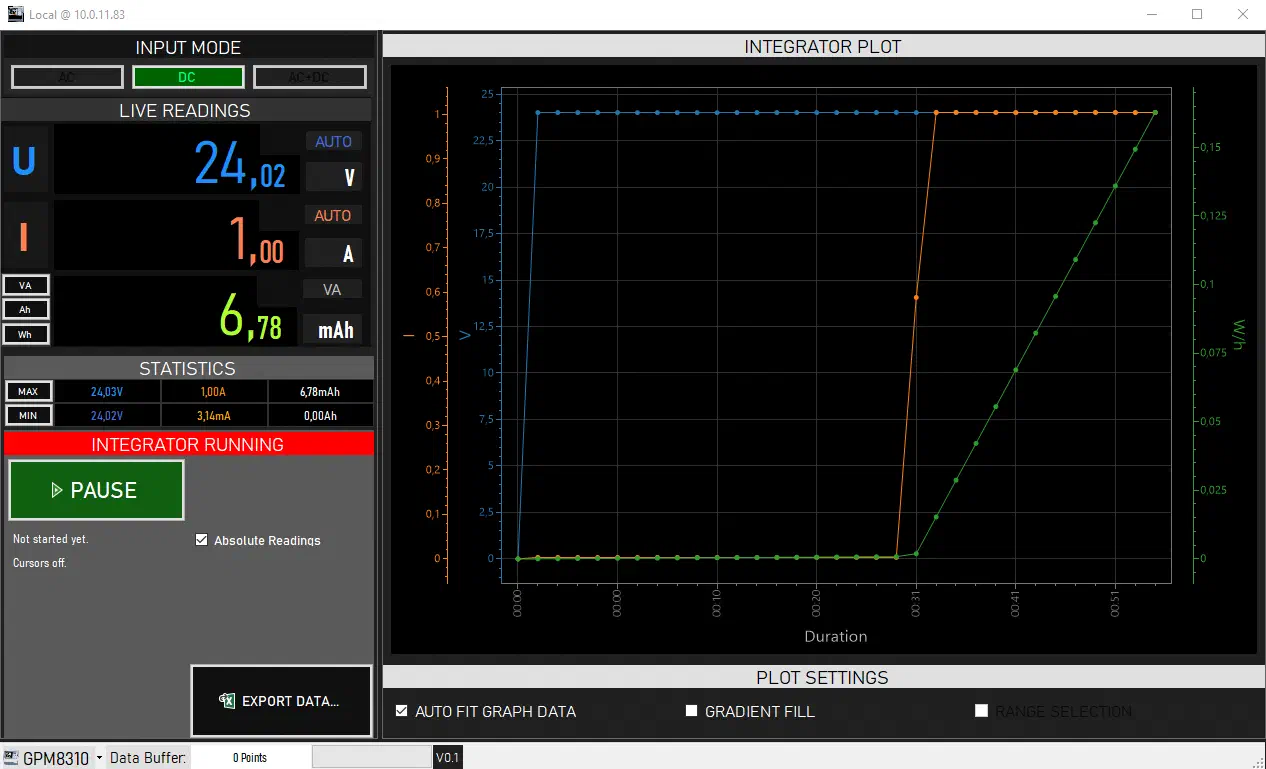
GPMLink began as a practical bench utility: a way to keep a power meter connected, collect readings over time, and leave behind a clean dataset rather than a notebook full of scattered observations.
For anyone using the GW Instek GPM-8310 in a lab, workshop, or long-running measurement setup, this kind of small open-source tool can make the instrument much more convenient. The power meter performs the measurement; GPMLink preserves the story of how that measurement evolved over time.